Loading 3D model...
0%
(クリック/タップ位置の座標が表示されます)
PC: 座標モードONでクリック(または Shift+クリック)SP: 座標モードONでタップ
Source Images for the 3D Model
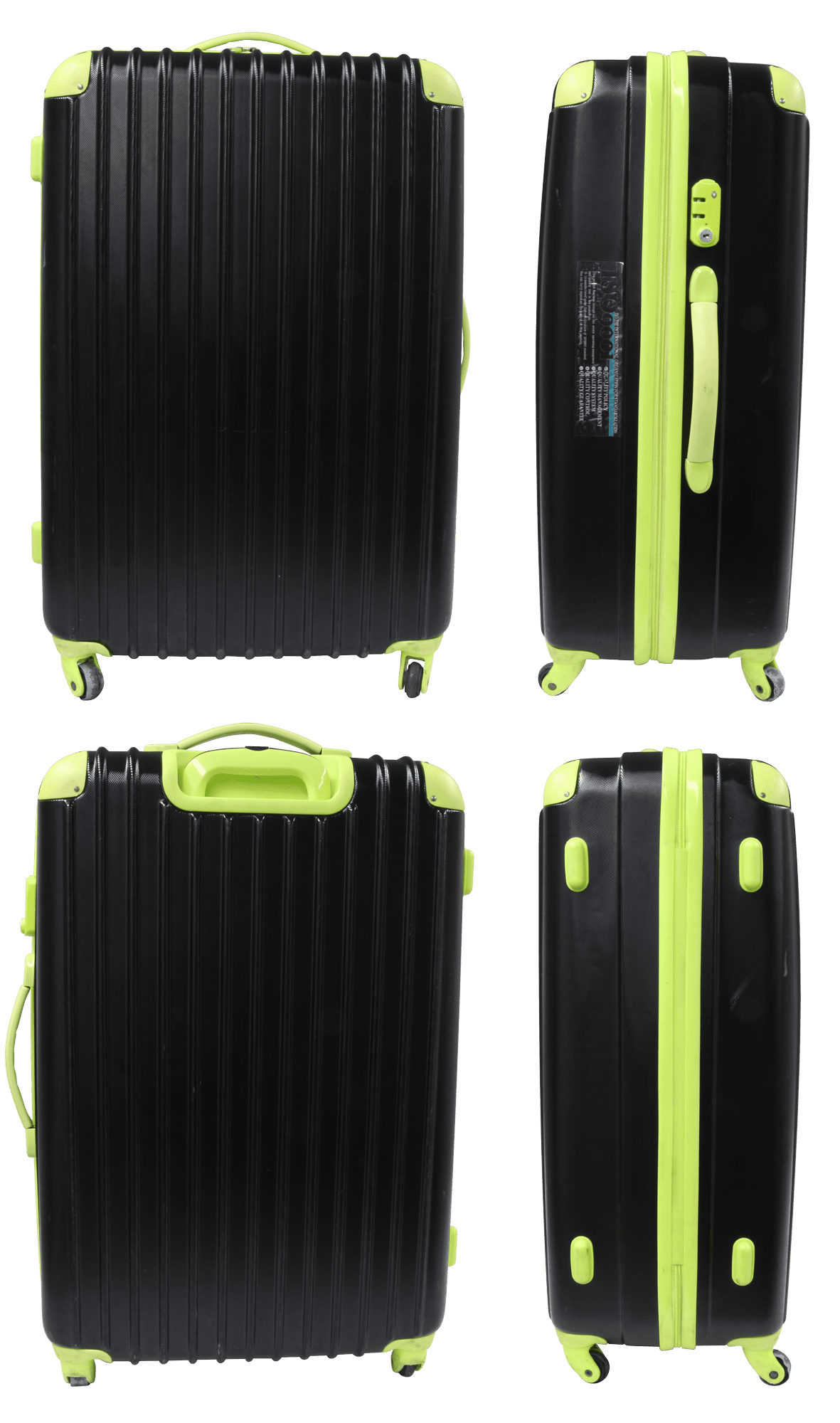
This 3D model is created based on photographs taken from four directions.
To help preserve the original shape as accurately as possible, the background was carefully removed from each image, and only the necessary areas were precisely extracted using path-based clipping.
To help preserve the original shape as accurately as possible, the background was carefully removed from each image, and only the necessary areas were precisely extracted using path-based clipping.
Why a Sticker May Not Appear During the 3D Conversion Process
Although the original uploaded image included the sticker, the detailed patterns and text may not have been sufficiently recognized during the 3D conversion process, resulting in the sticker not being reflected in the 3D model. In AI-based 3D generation, small labels or printed elements may not be reproduced when certain conditions overlap.
These factors may cause situations where a sticker visible in the original image does not appear in the resulting 3D model.
- When the characters or patterns are too small and difficult to read
- When information is insufficient due to lighting reflections or shooting angles
- When processing that attempts to correct the surface as a flat area is applied
- When the sticker’s color is similar to the background and difficult to detect as a distinctive feature
These factors may cause situations where a sticker visible in the original image does not appear in the resulting 3D model.